> For the complete documentation index, see [llms.txt](https://documentation.peacefulqode.co.in/llms.txt). Markdown versions of documentation pages are available by appending `.md` to page URLs; this page is available as [Markdown](https://documentation.peacefulqode.co.in/firex-documentation/theme-options/pq-header.md).
# PQ Header
**Refer to the steps below to set the header :**\
Refer to the steps below to set and customize your site header:
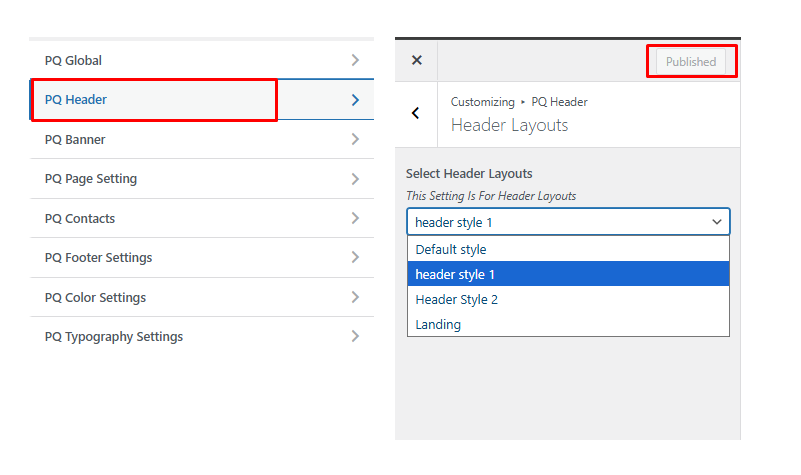
1. Go to **Appearance → Customizer → Header Layout**.
2. From there, you can **set and customize** your header layout according to your preferences.
This header functions as a **global header**, meaning it will automatically appear on **all pages** of your website.
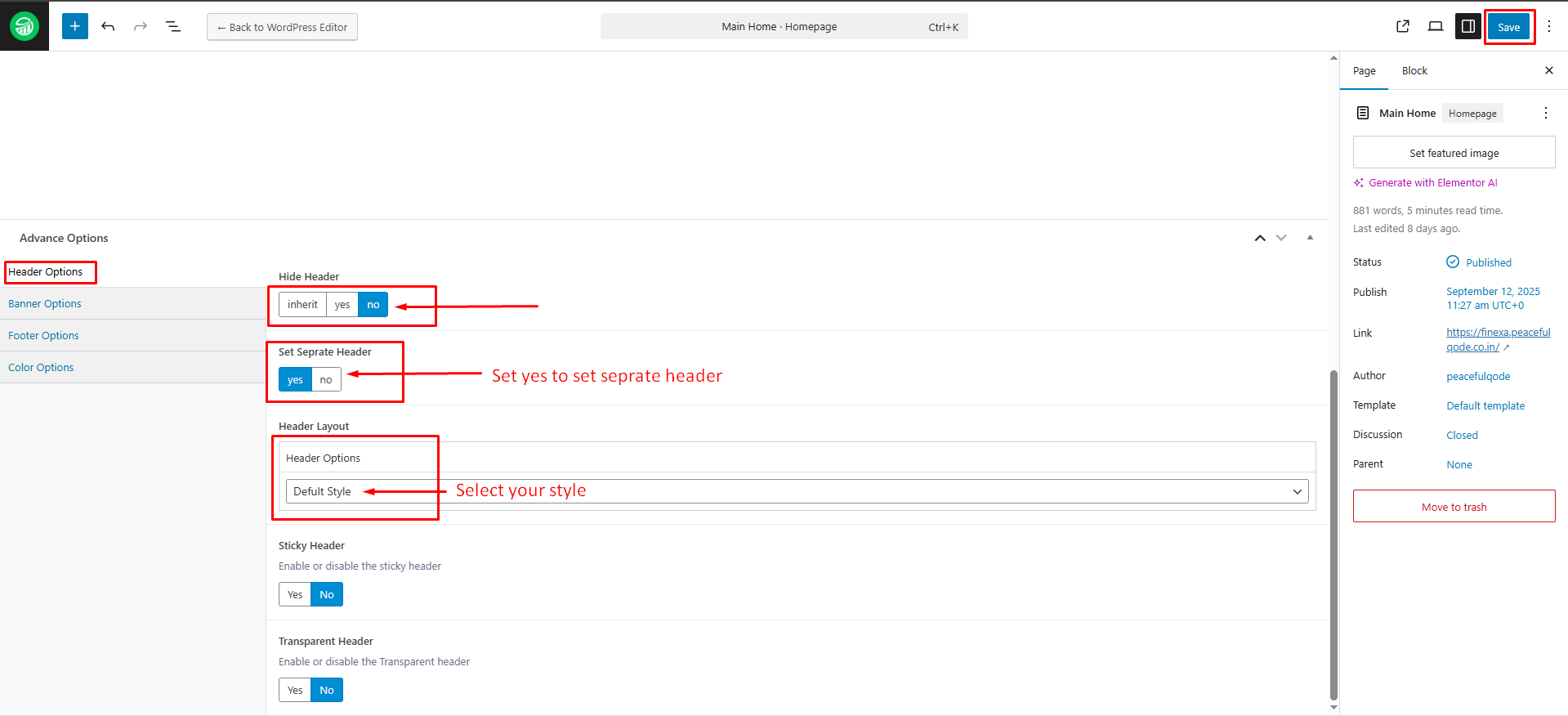
You can also set a **specific header** for any individual page using **ACF**.\
To do this, follow these steps:
1. Go to the specific page where you want to set a custom header.
2. Click **Edit Page**.
3. Scroll down to find the **Advanced Options** section.
4. Under **Header Options**:
* Set **Hide Header** to **No**.
* Set **Set Separate Header** to **Yes**.
* Then, select your desired header from the **Header Options** dropdown.
If you set **Set Separate Header** to **No** and **Hide Header** to **Inherit**, the page will automatically **inherit the global header** selected from the **PQ Header** option.
**Refer to the steps below to edit the header :** You can customize the header in multiple ways. You can edit it directly using Elementor, which gives you full control over the design and layout.
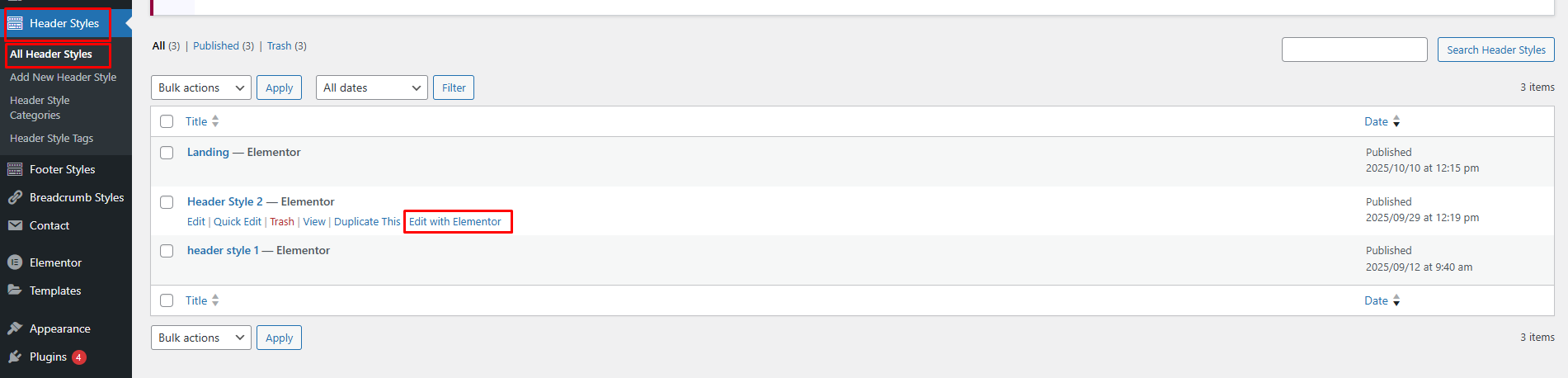
1. **Heoader Style Options** – You can edit the header directly from your **WordPress Dashboard** by navigating to **Appearance → Header Style.**
2. **Edit with Elementor** – Open the header directly in **Elementor** to have full control over its design, layout, and content**.**
3. **Edit from a Specific Page** – You can also open any page using **Edit with Elementor** and make changes to the header while previewing how it looks on that specific page.
Please refer to the images below for detailed visual guidance.
Edit Header From WordPress Dashboard -> Header Styles Option
Edit Header From Site Page Once The Page Is Open In Elementor, You’ll Be Able To Edit