# PQ Contact

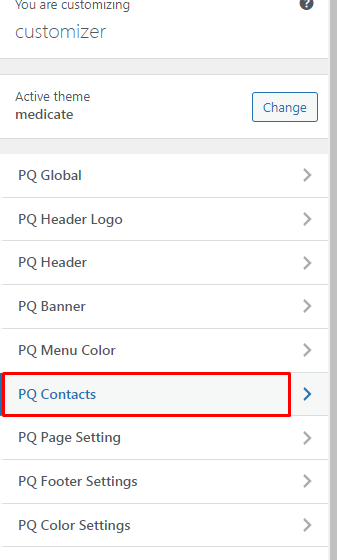
<figure><img src="https://2666613211-files.gitbook.io/~/files/v0/b/gitbook-x-prod.appspot.com/o/spaces%2FeiDLBRCDHX7qCPGiUJaA%2Fuploads%2F4XvxQHnYg3K43NGshK84%2Fimage.png?alt=media&#x26;token=47d6253e-762b-4fe3-bb1c-38c8e77ef54e" alt=""><figcaption></figcaption></figure>

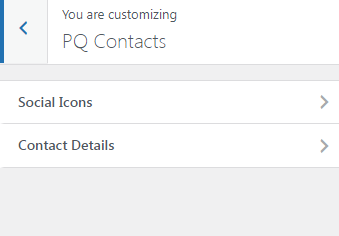
There are two options for contacts Social Icons and Contact Details.

<figure><img src="https://2666613211-files.gitbook.io/~/files/v0/b/gitbook-x-prod.appspot.com/o/spaces%2FeiDLBRCDHX7qCPGiUJaA%2Fuploads%2FX8XWHbFbOozO7MnMr2Yb%2Fimage.png?alt=media&#x26;token=cc617068-08c3-421a-8517-bc21494d76b2" alt=""><figcaption></figcaption></figure>

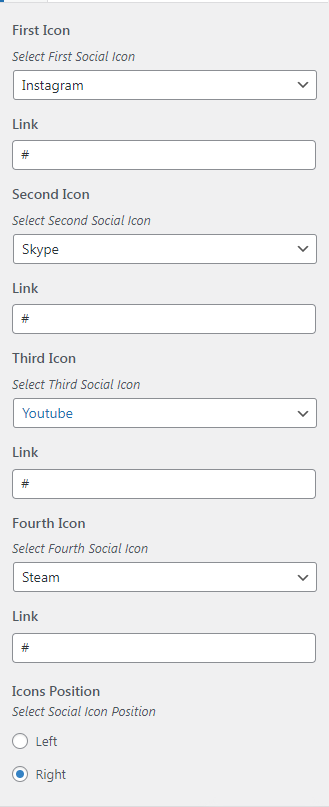
In Social Icons, you can change the social media links and icon order.

Also, you can change the icon position in the header.

<figure><img src="https://2666613211-files.gitbook.io/~/files/v0/b/gitbook-x-prod.appspot.com/o/spaces%2FeiDLBRCDHX7qCPGiUJaA%2Fuploads%2FXeX9DYeFaiPGxOqZClMP%2Fimage.png?alt=media&#x26;token=3cd4c07b-696a-42a3-8b7a-922dc8bbc65b" alt=""><figcaption></figcaption></figure>

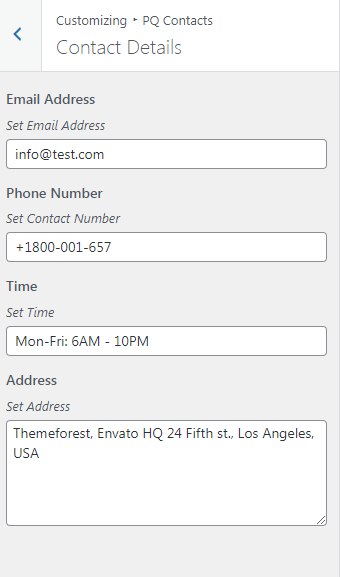
In contact options, you can change the contact details like Contact number, email address Address, etc.
<figure><img src="https://2666613211-files.gitbook.io/~/files/v0/b/gitbook-x-prod.appspot.com/o/spaces%2FeiDLBRCDHX7qCPGiUJaA%2Fuploads%2F8ZVvbIvcq2K9NnwJU75I%2Fimage.png?alt=media&#x26;token=e54d2e8e-4e25-47af-9578-702023a9c947" alt=""><figcaption></figcaption></figure>