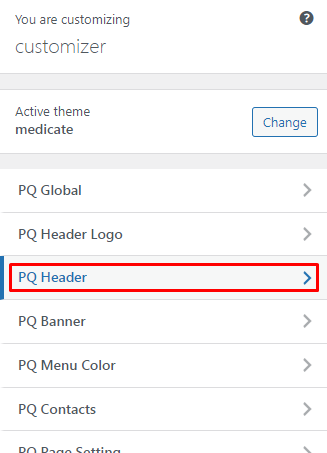
# PQ Header

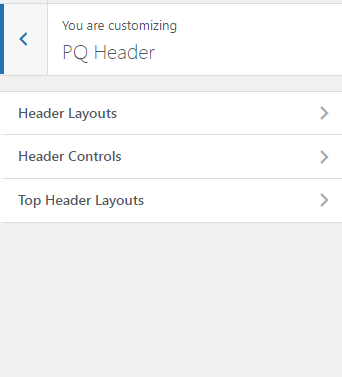
You can change the settings for Header Layout from here.

<figure><img src="https://content.gitbook.com/content/ljJzyTaIzcAZtgxZwz5x/blobs/NBBBn7ldyLaaQXsnpPRH/image.png" alt=""><figcaption></figcaption></figure>

<figure><img src="https://content.gitbook.com/content/ljJzyTaIzcAZtgxZwz5x/blobs/u8sDIMXsnLvIEYbQj01E/image.png" alt=""><figcaption></figcaption></figure>

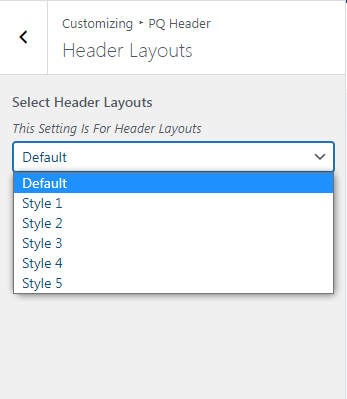
You can change Header Layouts for the Website

<figure><img src="https://content.gitbook.com/content/ljJzyTaIzcAZtgxZwz5x/blobs/kHNzZmKngKCJWY4WCzCm/image.png" alt=""><figcaption></figcaption></figure>

If It is not working then go to a particular page and edit at the bottom of the page to Set Top Header ->NO

![](https://content.gitbook.com/content/ljJzyTaIzcAZtgxZwz5x/blobs/W1ZP2Kf7I0yVKwLjSU3a/image.png)

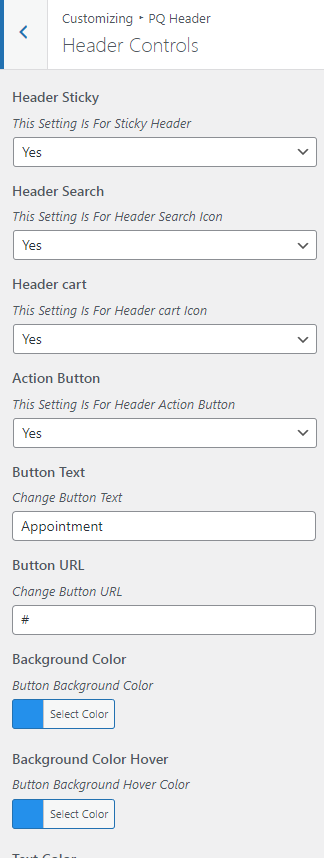
You can change the header control like the Action button, Cart button, Search Button, Sticky Header, Action Button text, color and backgroud etc.

<figure><img src="https://content.gitbook.com/content/ljJzyTaIzcAZtgxZwz5x/blobs/v8iGyeXMbZVKQhZJ3ojN/image.png" alt=""><figcaption></figcaption></figure>

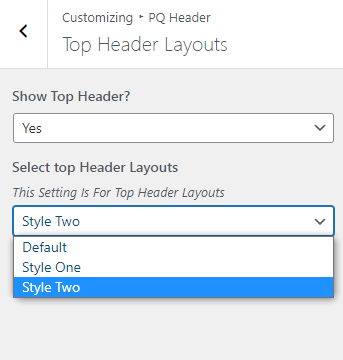
You can set the top header layout from this tab.
<figure><img src="https://content.gitbook.com/content/ljJzyTaIzcAZtgxZwz5x/blobs/Hsp7XkaBgKUAYuW7useI/image.png" alt=""><figcaption></figcaption></figure>