> For the complete documentation index, see [llms.txt](https://documentation.peacefulqode.co.in/llms.txt). Markdown versions of documentation pages are available by appending `.md` to page URLs; this page is available as [Markdown](https://documentation.peacefulqode.co.in/medileaf-documentation/theme-options/pq-page-settings.md).

# PQ Page Settings

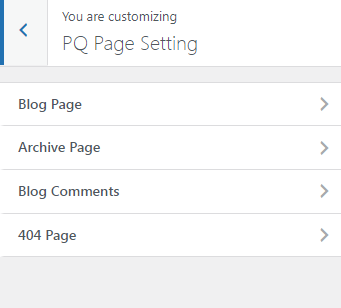
There are 4 options for the blog page settings.

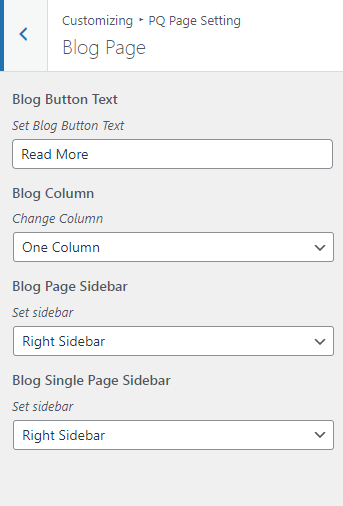
<figure><img src="https://content.gitbook.com/content/WZprJ8LugTGFvbzpINpc/blobs/HG12u2gMZVYX451isPFS/image.png" alt=""><figcaption></figcaption></figure>

You can change the Blog page layouts, Column settings, Blog Button Text, and Blog Page sidebar from this tab.

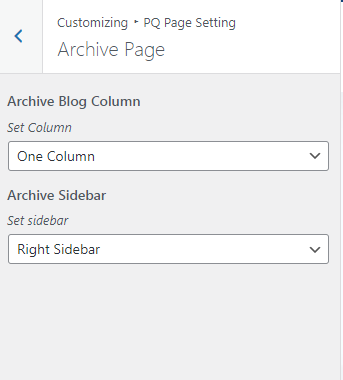
<figure><img src="https://content.gitbook.com/content/WZprJ8LugTGFvbzpINpc/blobs/JsVES10cLAkmrGs3UOIJ/image.png" alt=""><figcaption></figcaption></figure>

You can change the Archive page layouts, Column settings, and Page sidebar from this tab.

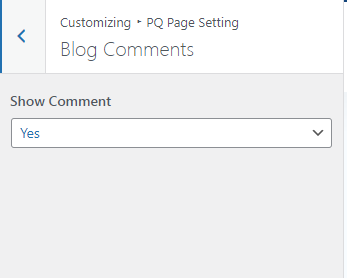
<figure><img src="https://content.gitbook.com/content/WZprJ8LugTGFvbzpINpc/blobs/cTevsMqs5IXbLrHbyJlc/image.png" alt=""><figcaption></figcaption></figure>

You can show and hide the comments section from this tab.

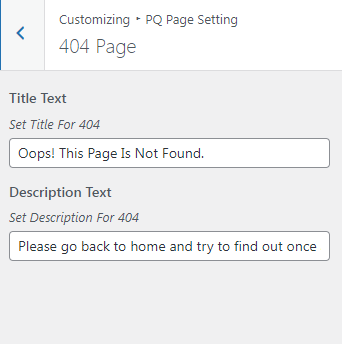
<figure><img src="https://content.gitbook.com/content/WZprJ8LugTGFvbzpINpc/blobs/CL1Rw3KTgh7gu4xAAL2r/image.png" alt=""><figcaption></figcaption></figure>

You can change the 404-page text from this tab.
<figure><img src="https://content.gitbook.com/content/WZprJ8LugTGFvbzpINpc/blobs/rzahIApZsgAXH5yradAU/image.png" alt=""><figcaption></figcaption></figure>