> For the complete documentation index, see [llms.txt](https://documentation.peacefulqode.co.in/llms.txt). Markdown versions of documentation pages are available by appending `.md` to page URLs; this page is available as [Markdown](https://documentation.peacefulqode.co.in/tekzo-documentation/tekzo-documentation/theme-options/pq-header.md).
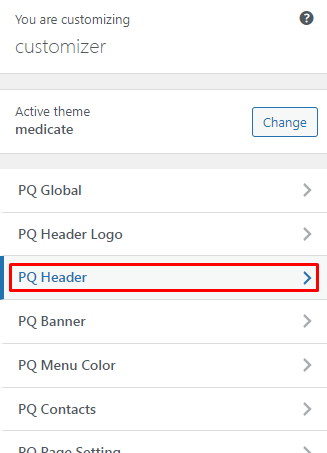
# PQ Header
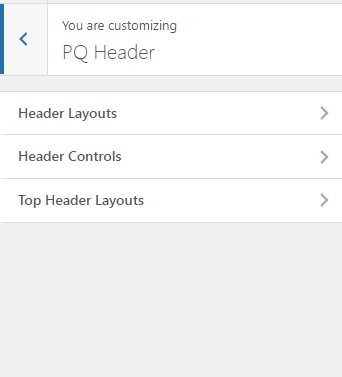
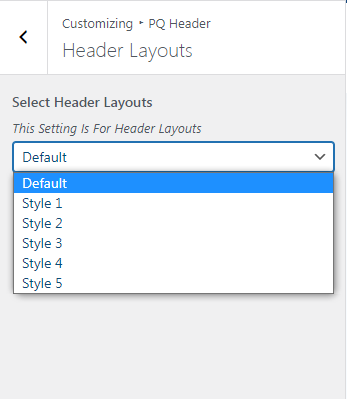
Header layout settings
You can change the settings for Header Layout from here.
You can change Header Layouts for the Website
If It is not working then go to a particular page and edit at the bottom of the page to Set Top Header ->NO

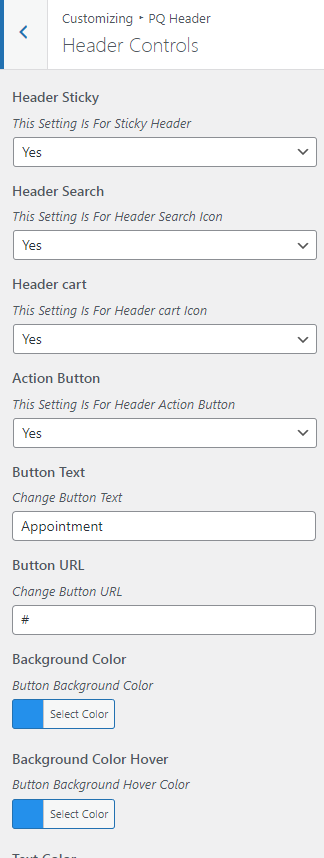
You can change the header control like the Action button, Cart button, Search Button, Sticky Header, Action Button text, color and backgroud etc.
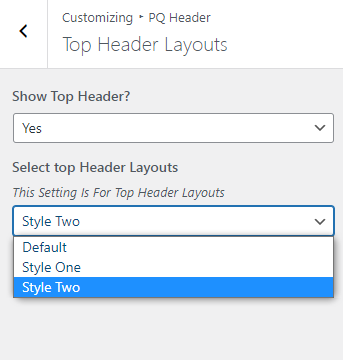
You can set the top header layout from this tab.