> For the complete documentation index, see [llms.txt](https://documentation.peacefulqode.co.in/llms.txt). Markdown versions of documentation pages are available by appending `.md` to page URLs; this page is available as [Markdown](https://documentation.peacefulqode.co.in/labstica-documentation/theme-options/pq-header.md).

# PQ Header

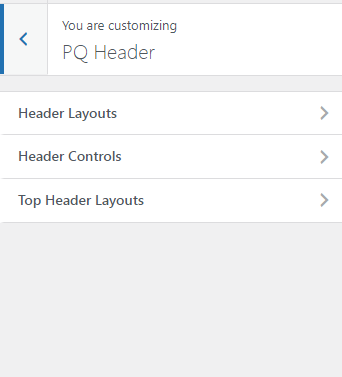
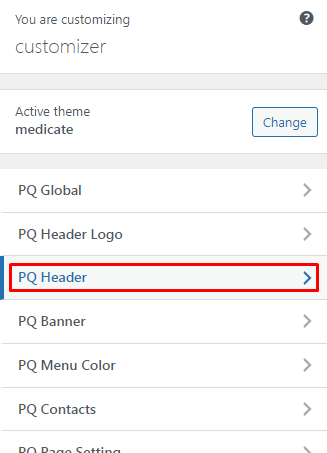
You can change the settings for Header Layout from here.

<figure><img src="https://content.gitbook.com/content/GMB7dO4UvsV3ZSqL0QYc/blobs/w7simYQKCrruF1BkGXfO/image.png" alt=""><figcaption></figcaption></figure>

<figure><img src="https://content.gitbook.com/content/GMB7dO4UvsV3ZSqL0QYc/blobs/nWiXVywzZnE0x8cLOIDu/image.png" alt=""><figcaption></figcaption></figure>

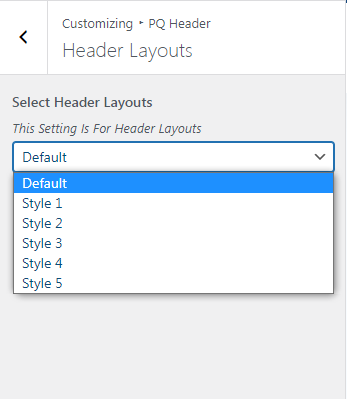
You can change Header Layouts for the Website

<figure><img src="https://content.gitbook.com/content/GMB7dO4UvsV3ZSqL0QYc/blobs/McvusFcNtOlKipLm5Py5/image.png" alt=""><figcaption></figcaption></figure>

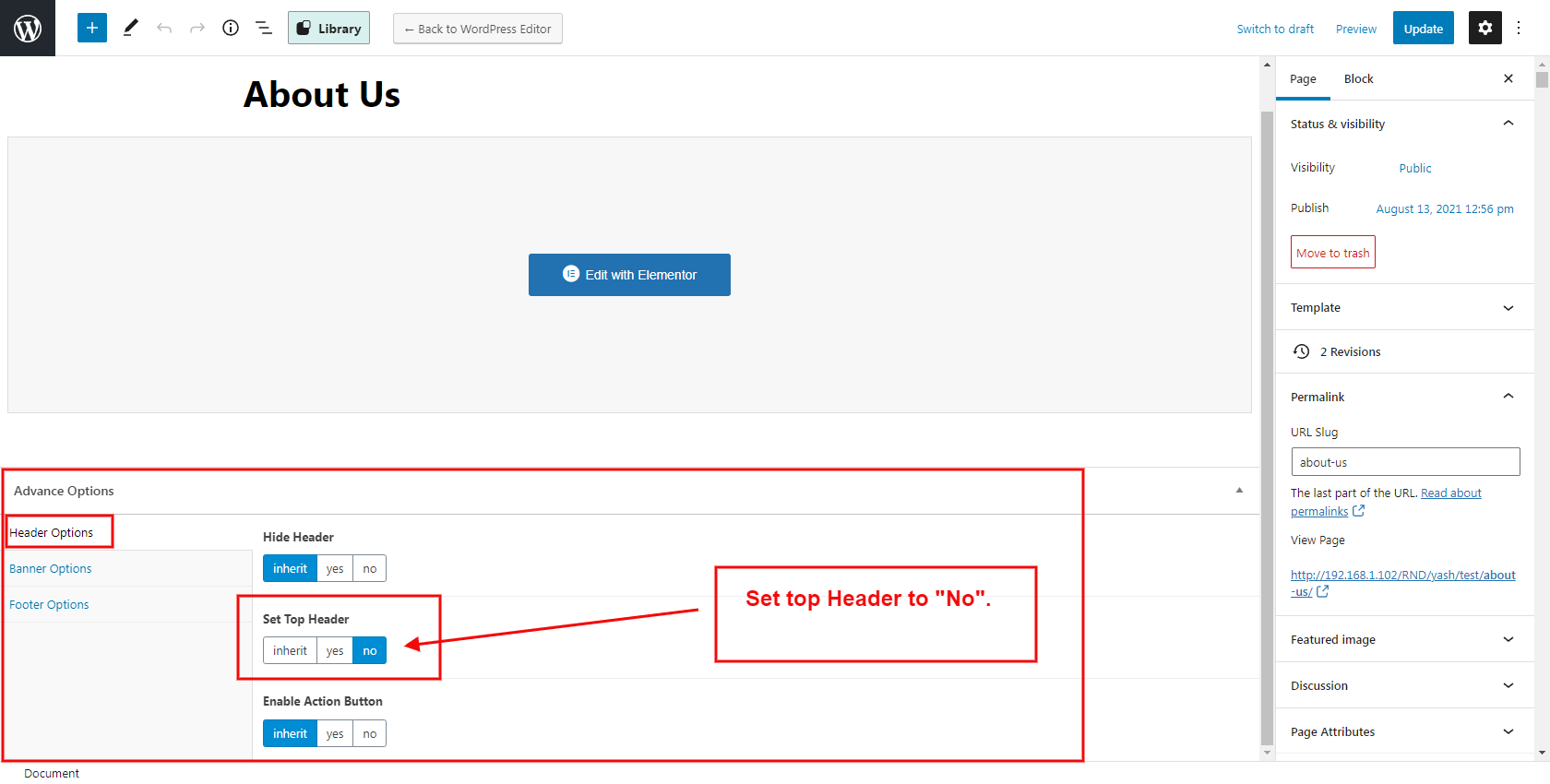
If It is not working then go to a particular page and edit at the bottom of the page to Set Top Header ->NO

<figure><img src="https://content.gitbook.com/content/GMB7dO4UvsV3ZSqL0QYc/blobs/HilSmUClCr9MVxxHUdSv/image.png" alt=""><figcaption></figcaption></figure>

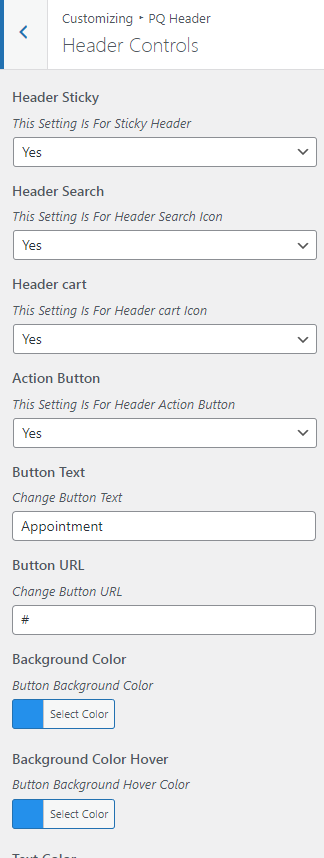
You can change the header control like the Action button, Cart button, Search Button, Sticky Header, Action Button text, color and backgroud etc.

<figure><img src="https://content.gitbook.com/content/GMB7dO4UvsV3ZSqL0QYc/blobs/tzNuxBcWShjBX8J8wWd0/image.png" alt=""><figcaption></figcaption></figure>

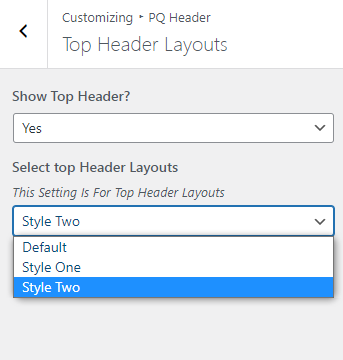
You can set the top header layout from this tab.
<figure><img src="https://content.gitbook.com/content/GMB7dO4UvsV3ZSqL0QYc/blobs/coRLtQwYW0vA6cLkPV31/image.png" alt=""><figcaption></figcaption></figure>